
Everything a crew needs to document a job
Built for contractors, builders, site supervisors, inspectors and trades.
Photo reports & daily logs
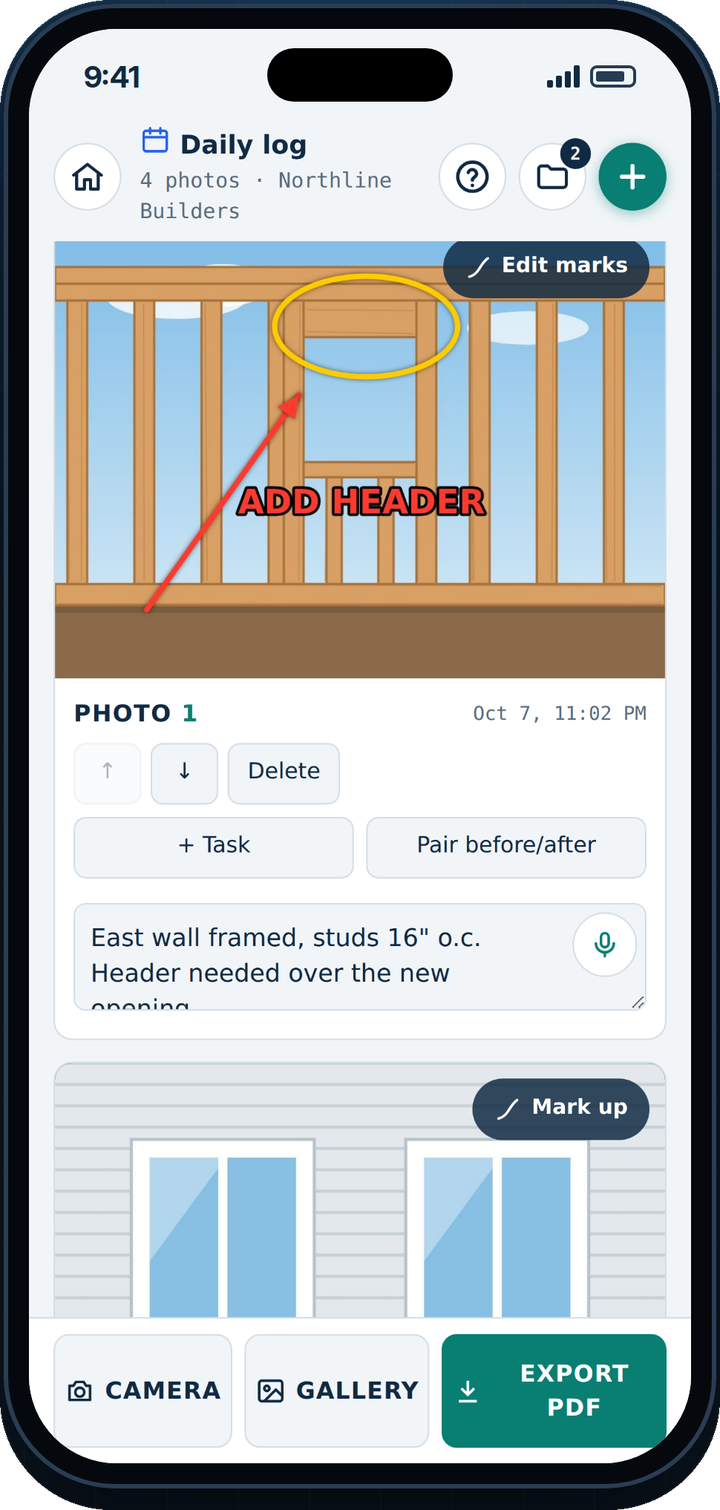
Snap photos back to back or one by one, add notes by voice, and send a clean PDF with your logo.
Punch lists & tasks
Turn any photo into a task with a due date. The crew ticks it off with an “after” photo.
Links anyone can finish
Send a task to a sub or client. They add photos and mark it done in their browser – no app needed.
Safety inspections
Checklists with Pass / Fail, photo proof and a signature on the phone.
Before & after
Side-by-side photos that show clients exactly what you did.
Projects & weekly summaries
Every report and task for a site in one place, and one weekly PDF for the client.
How it works
From job site to client inbox in about a minute.
- Pick a report
Quick report, daily log, punch list, safety inspection – or your own. - Take photos
Camera or gallery. Mark them up with arrows and text. - Add notes
Type or just speak. Date, time and location stamp optional. - Send it
Branded PDF or a web link – see when it’s opened.
Simple pricing for the whole crew
Every plan starts with a 7-day free trial. The owner pays; crew join free.
Solo
$5.99per month · just you
Team
$19.99per month · you + 4 crew
Team 10
$29.99per month · you + 10 crew
Unlimited
$49.99per month · any size crew
Questions
What is SitePix?
An iPhone app for contractors and crews. Take job site photos, add notes by typing or voice, and send a branded PDF report or web link in about a minute.
Can I make punch lists and daily logs?
Yes – Daily log, Punch list, Safety inspection, Damage report, Delivery check, Before & after, Roof inspection and Rough-in check are built in, and you can build your own.
Can someone without the app complete a task?
Yes. Send a task link to a sub-trade, client or handyman. They open it in their web browser, add photos and mark it done.
Does it work without signal?
Yes. Reports are saved on the phone and photos upload to your team when you get signal.